
Download DotScript – Free AI‑Powered Medical Information System, Secure & Easy
What Is DotScript? – A Comprehensive Overview
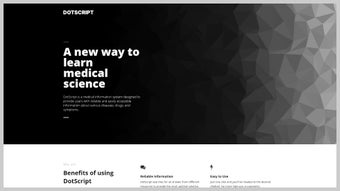
DotScript is an AI‑driven medical information platform that aims to bridge the gap between complex medical data and everyday users. Powered by advanced natural‑language processing algorithms, DotScript sifts through millions of peer‑reviewed articles, clinical trial results, drug databases, and reputable health websites to provide concise, accurate answers to medical queries. Whether you are a curious patient wanting to understand a symptom, a caregiver looking for drug interactions, or a student researching genetic disorders, DotScript offers a single, free, and sign‑up‑free hub for reliable information.
The system distinguishes itself with two specialized chatbots: the Genetic Bot, which focuses exclusively on genetics‑related questions such as hereditary disease risk, gene‑therapy options, and carrier status; and the Generic Bot, which covers a broad spectrum of topics ranging from modern pharmacology to traditional herbal remedies. This dual‑bot architecture ensures that responses are not only fast but also contextually relevant, reducing the noise that often accompanies generic search results. Moreover, DotScript’s design is intentionally lightweight and responsive, allowing seamless access from desktop browsers, tablets, or smartphones without the need for bulky downloads or additional plugins.
Security and privacy are baked into the core—no personal data is stored, and all communications are encrypted, giving users confidence that their health inquiries remain confidential. In addition, the platform provides citation links for every answer, enabling users to verify sources independently. The continuous weekly updates keep the knowledge base aligned with the latest clinical guidelines, FDA approvals, and peer‑reviewed research.
In short, DotScript is the modern, AI‑enhanced answer engine for anyone seeking trustworthy medical knowledge at the click of a button, all while maintaining a user‑centric focus on speed, accuracy, and privacy.
Key Features That Set DotScript Apart
DotScript’s feature set is built around the principle of delivering high‑quality medical information without barriers. Below you will find a detailed list of capabilities that make this tool valuable for both casual users and professionals. Each feature has been carefully designed to enhance usability, ensure data integrity, and promote confidence in the answers provided.
- Dual‑Bot System: Separate Genetic Bot for genomics‑focused queries and Generic Bot for general medical, pharmaceutical, and herbal topics.
- AI‑Powered Knowledge Engine: Utilizes large‑scale language models combined with curated medical databases to deliver evidence‑based answers.
- Zero‑Sign‑Up, Zero‑Cost: Users can start asking questions instantly without creating an account or paying a subscription fee.
- Cross‑Platform Accessibility: Fully responsive web interface works on Windows, macOS, Linux, Android, and iOS devices.
- Secure & Private: End‑to‑end encryption for all interactions; no personal data is retained on servers.
- Real‑Time Updates: The knowledge base is refreshed weekly to incorporate the latest clinical guidelines, FDA approvals, and peer‑reviewed research.
- Multilingual Support (Beta): Early support for Spanish, French, and Mandarin, expanding the reach to non‑English speakers.
- Citation Links: Every answer includes direct links to the original source material, allowing users to verify information independently.
- Symptom Checker Integration: Quickly input multiple symptoms to receive differential diagnoses ranked by probability.
- Drug Interaction Checker: Input medication names to see potential adverse interactions, dosage warnings, and contraindications.
In addition to the core capabilities, DotScript offers a suite of auxiliary tools such as a PDF export function, a shareable link generator, and a lightweight Progressive Web App (PWA) version that mimics native‑app performance. The platform’s architecture also supports future expansions, including voice‑input support and deeper integration with electronic health record (EHR) systems, ensuring that DotScript can evolve alongside emerging healthcare technologies.
Installation, Setup, and Compatibility – Getting Started in Minutes
Step‑by‑Step Installation (Web‑Based, No Download Required)
1. Open Your Browser: DotScript runs entirely in the cloud, so you only need a modern browser (Chrome, Firefox, Edge, Safari).
2. Navigate to the Official Site: Type https://www.dotscript.ai into the address bar and press Enter.
3.
Accept the Minimal Permissions Prompt: The site will request permission to store a small cookie for session handling; this is optional but improves chat continuity.
4. Select a Bot: Choose either the Genetic Bot or the Generic Bot from the home screen. The interface will display a friendly greeting and a text box for your query.
5.
Start Asking Questions: Type your medical question in plain language. The AI will respond within seconds, and you can refine your query by clicking “Ask Follow‑up” or “Show Sources”.
6. Save or Share Answers: Use the “Copy”, “Download PDF”, or “Share” buttons to retain information for later reference or to discuss with a healthcare professional.
Operating System Compatibility (itemprop="operatingSystem")
Because DotScript is a web‑application, it is inherently compatible with all major operating systems:
- Windows 10/11: Works flawlessly on Chrome, Edge, and Firefox.
- macOS Ventura and later: Safari, Chrome, and Firefox provide full functionality.
- Linux distributions: Any modern distro with a recent version of Firefox or Chrome can access DotScript without issues.
- Android 8.0+: The mobile‑optimized interface adapts to touch input and smaller screens.
- iOS 13+: Safari and Chrome on iPhone/iPad deliver the same experience as desktop browsers.
If you prefer an offline experience, DotScript offers a progressive web app (PWA) option. By clicking the “Add to Home Screen” prompt on mobile browsers, the platform installs as a lightweight app icon that launches in a dedicated window, still powered by the same cloud AI backend. This approach gives the feel of a native app while keeping the data secure and up‑to‑date.
Pros and Cons – A Balanced Look at DotScript
Every software solution has its strengths and areas for improvement. Below is a thorough, unbiased assessment of DotScript, highlighting the aspects that most users praise as well as the limitations that developers are actively addressing in upcoming releases.
Pros
- Free access with no registration required, lowering the barrier for casual users.
- Dual‑bot architecture delivers highly relevant answers for both genetics and general health topics.
- Continuously updated knowledge base ensures information reflects the latest medical standards.
- End‑to‑end encryption protects user privacy, a critical factor for health‑related queries.
- Responsive design works across desktops, tablets, and smartphones without performance lag.
- Citation links empower users to verify sources, fostering transparency and trust.
- Integrated symptom and drug interaction checkers add practical utility beyond simple Q&A.
- Multilingual beta expands accessibility to non‑English speakers.
- PWA option provides an app‑like experience without storage overhead.
- AI‑driven natural language understanding reduces the need for medical jargon.
Cons
- Reliance on internet connectivity; offline use is limited to cached UI elements.
- While AI is powerful, it may occasionally generate overly generic answers for highly niche queries.
- Multilingual support is still in beta, so translations may lack nuance.
- No direct integration with electronic health record (EHR) systems, which could benefit clinicians.
- Complex genetic queries may require specialist interpretation beyond the AI’s scope.
- Some users may prefer a downloadable desktop client for guaranteed availability.
- Limited voice‑input capabilities at present; text remains the primary interaction mode.
- Potential for occasional latency during peak traffic periods due to server load.
- Absence of a built‑in medical disclaimer requiring users to consult professionals for diagnosis.
- Free model includes non‑intrusive promotional messages for partner health resources.
Frequently Asked Questions About DotScript
Below are the most common inquiries from new users and seasoned health‑tech enthusiasts alike. Each answer is crafted to be concise yet comprehensive, ensuring you have the information needed to make the most of DotScript’s capabilities.
Is DotScript really free, or are there hidden charges?
DotScript is completely free for end‑users. There are no subscription fees, no in‑app purchases, and no hidden charges. The platform may display optional, non‑intrusive sponsor messages, but these do not affect the core functionality or the accuracy of the medical information provided.
How does DotScript ensure the information it provides is accurate?
DotScript pulls data from peer‑reviewed journals, official drug databases (e.g., FDA, EMA), and reputable health organizations (e.g., WHO, CDC). Every answer includes citation links to the original source, allowing users to verify the content. The AI model is continuously fine‑tuned and the knowledge base is refreshed weekly to incorporate the latest clinical guidelines and research findings.
Can I use DotScript on my mobile device without an internet connection?
DotScript requires an active internet connection because all AI processing happens on secure cloud servers. However, you can add the site as a Progressive Web App (PWA) for faster launch times and limited offline caching of the UI. The medical knowledge itself is not stored locally, so a connection is needed for each query.
Is my personal data stored or shared when I ask a question?
No. DotScript does not require users to create accounts, and it does not store any personally identifiable information (PII). All conversations are encrypted in transit, and session cookies are optional and used solely for maintaining chat continuity during a single browsing session. No data is sold or shared with third parties.
How does the Genetic Bot differ from the Generic Bot?
The Genetic Bot is trained on genetics‑specific literature, including genome‑wide association studies, hereditary disease registries, and gene‑therapy trial data. It excels at answering questions about carrier status, mutation impacts, and family‑history risk assessments. The Generic Bot, on the other hand, covers a broader spectrum of topics such as pharmacology, symptom analysis, herbal medicine, and general health advice. Selecting the appropriate bot helps the AI deliver more precise, context‑aware responses.
Does DotScript comply with medical data privacy regulations?
Yes. DotScript is built to comply with GDPR, HIPAA‑related best practices, and other regional privacy frameworks. Because no personal health information (PHI) is collected or stored, the platform inherently meets many regulatory requirements. All data transmission uses TLS encryption, and any optional cookies are limited to session management only.
Final Verdict: Should You Download DotScript?
In a digital era where misinformation spreads faster than ever, DotScript stands out as a trustworthy, AI‑enhanced medical companion that prioritizes accuracy, privacy, and accessibility. Its dual‑bot design caters to both the layperson seeking general health guidance and the more specialized user interested in genetic insights. The platform’s free, sign‑up‑free model lowers entry barriers, while the continuous knowledge‑base updates ensure that users receive the most current medical information available. Although an internet connection is required and some advanced clinical nuances may still need a professional’s interpretation, the overall value proposition is compelling for anyone who wants reliable health answers at their fingertips. Whether you are a student, a caregiver, or simply a health‑curious individual, DotScript provides a seamless, secure, and cost‑free way to explore medical topics without wading through endless search results.
Ready to experience AI‑driven medical knowledge? Visit the official DotScript website now and start asking your questions instantly. No download, no registration—just accurate answers, fast and secure.



.png)



